SEADS Chef tracks the live level of every smart jar, warns you before stock runs low, and raises refill requests to the store automatically. This guide walks through each screen.
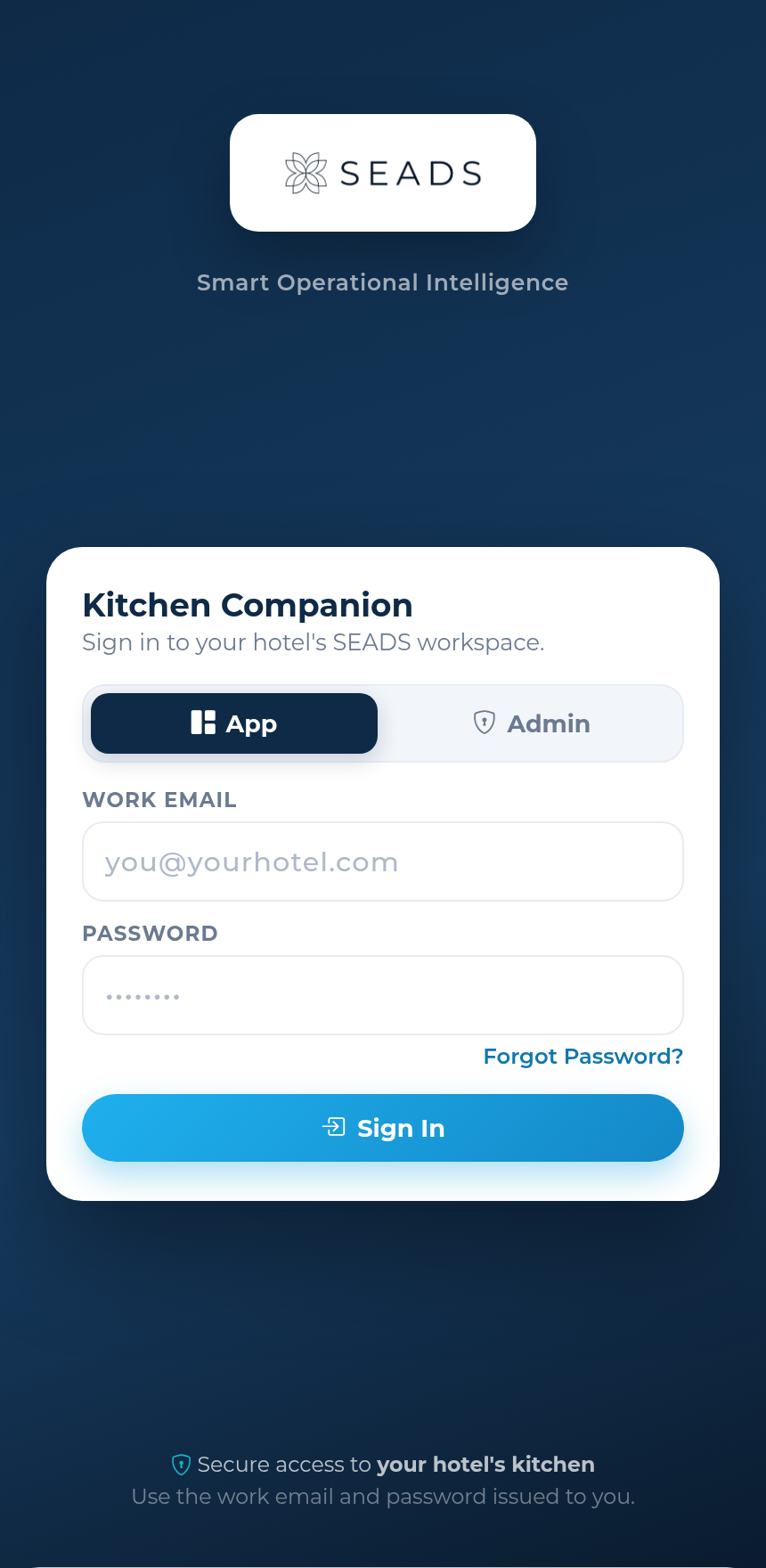
Sign in with your work email and password. The toggle picks where you land — the App (everyone) or the Admin console (admins only). Your session stays signed in, so you won't be asked to log in again while you're using it.
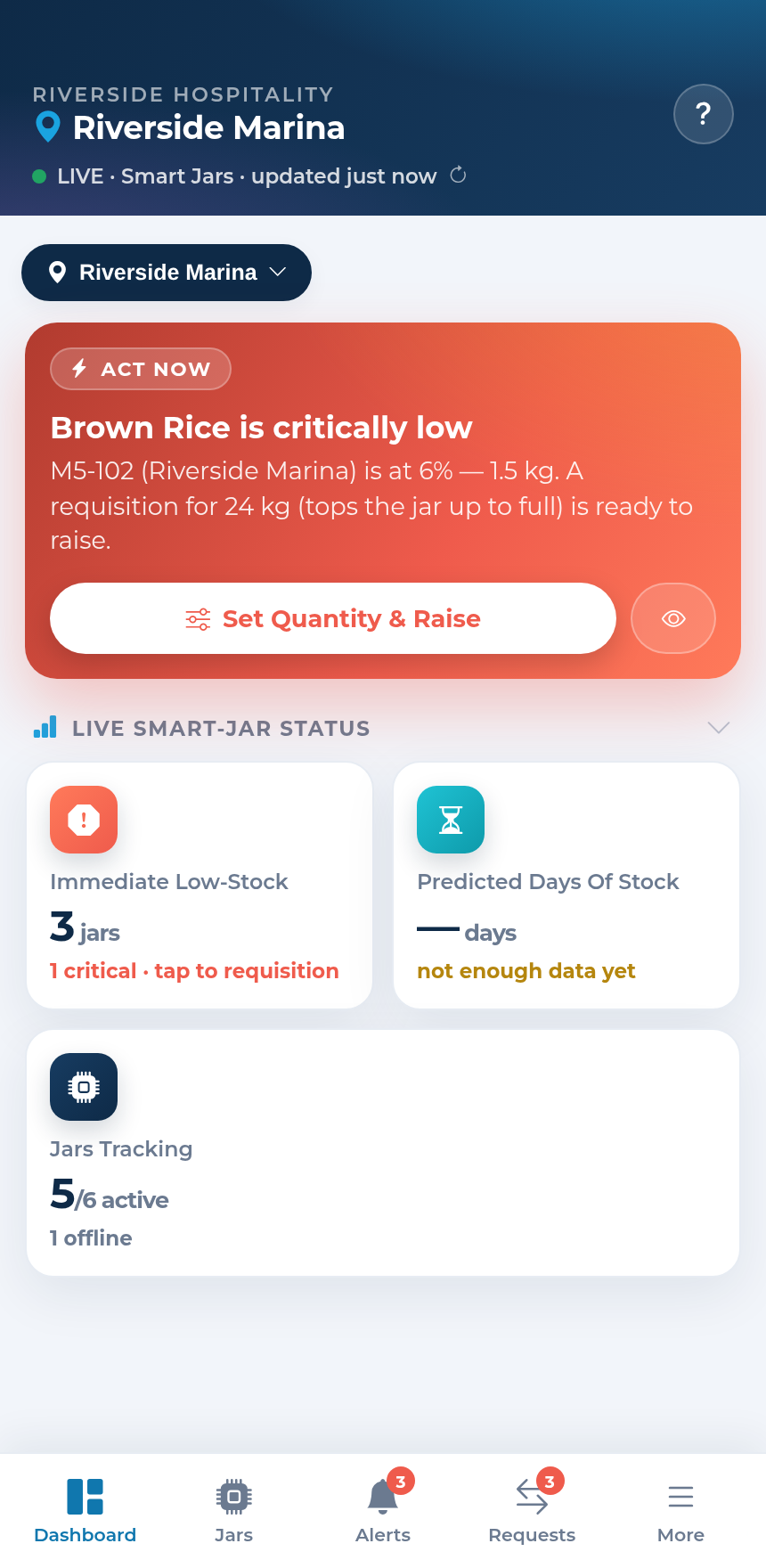
Five tabs along the bottom — Dashboard, Jars, Alerts, Requests and More. Tap any screenshot to see it full-size.
 View full screen
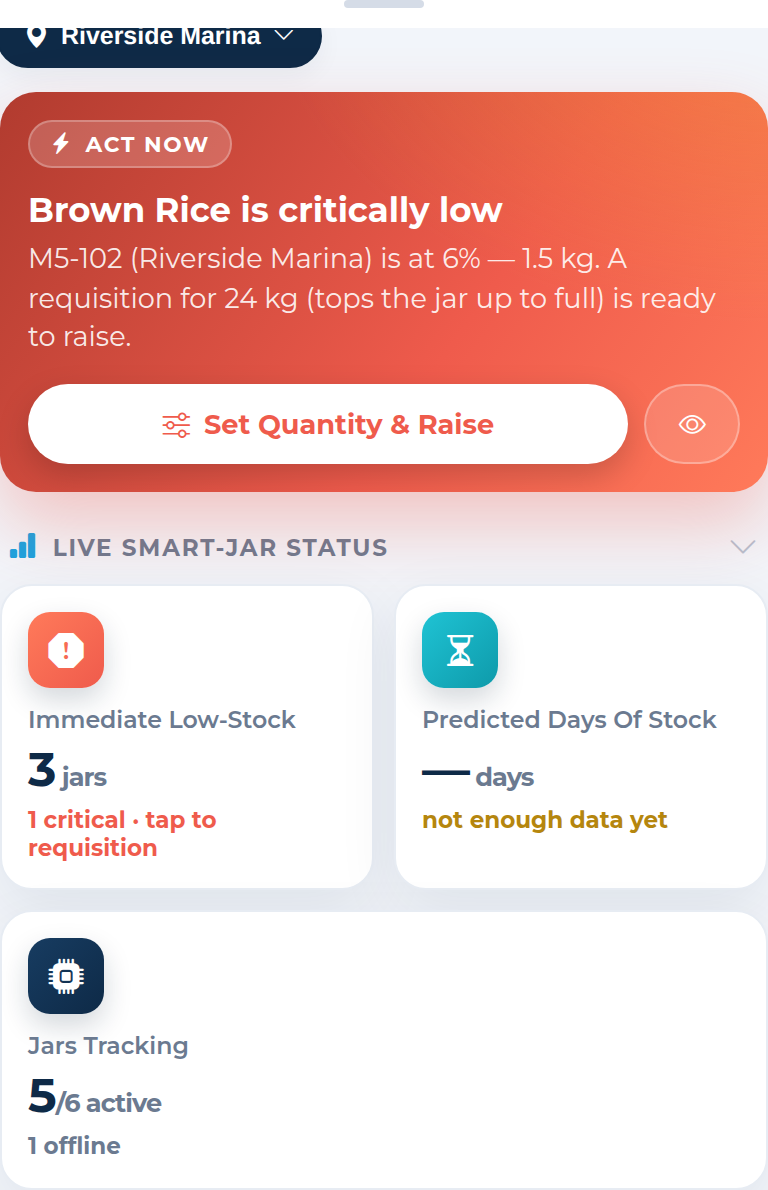
Your kitchen at a glance: the single most urgent action up top, then live status.
 View full screen
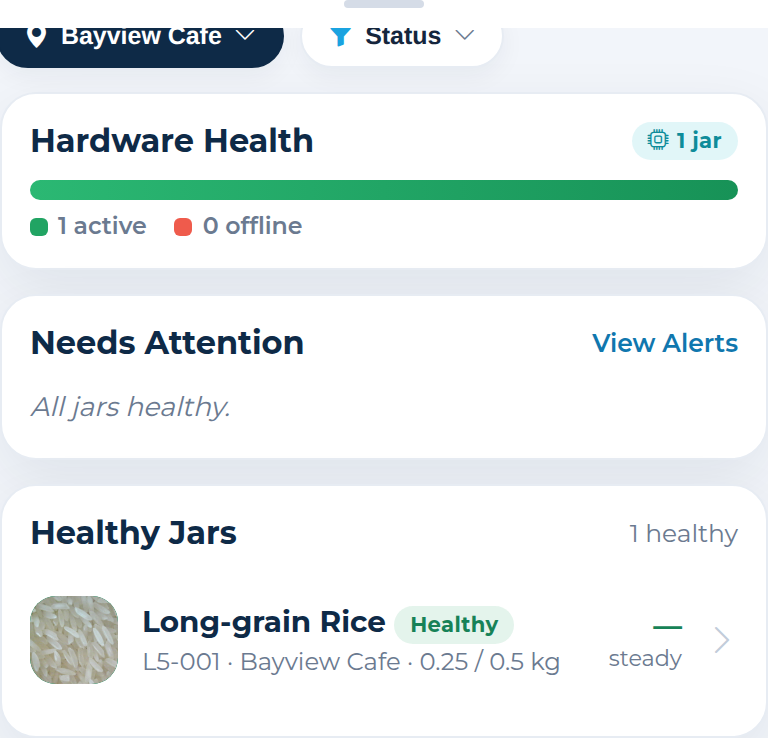
Every smart jar by health — what needs attention first, healthy jars below. Live jars show their latest interior photo.
 View full screen
Live gauge, the latest interior photo with a scrubber back through the last 50 readings, a burn-rate forecast, refills and automation. Run AI content detection on any reading — each row shows whether the contents were AI‑detected, set Manually or Inherited — and add an expiration date that warns you within two days (here and on the home page) and clears itself on a refill.
 View full screen
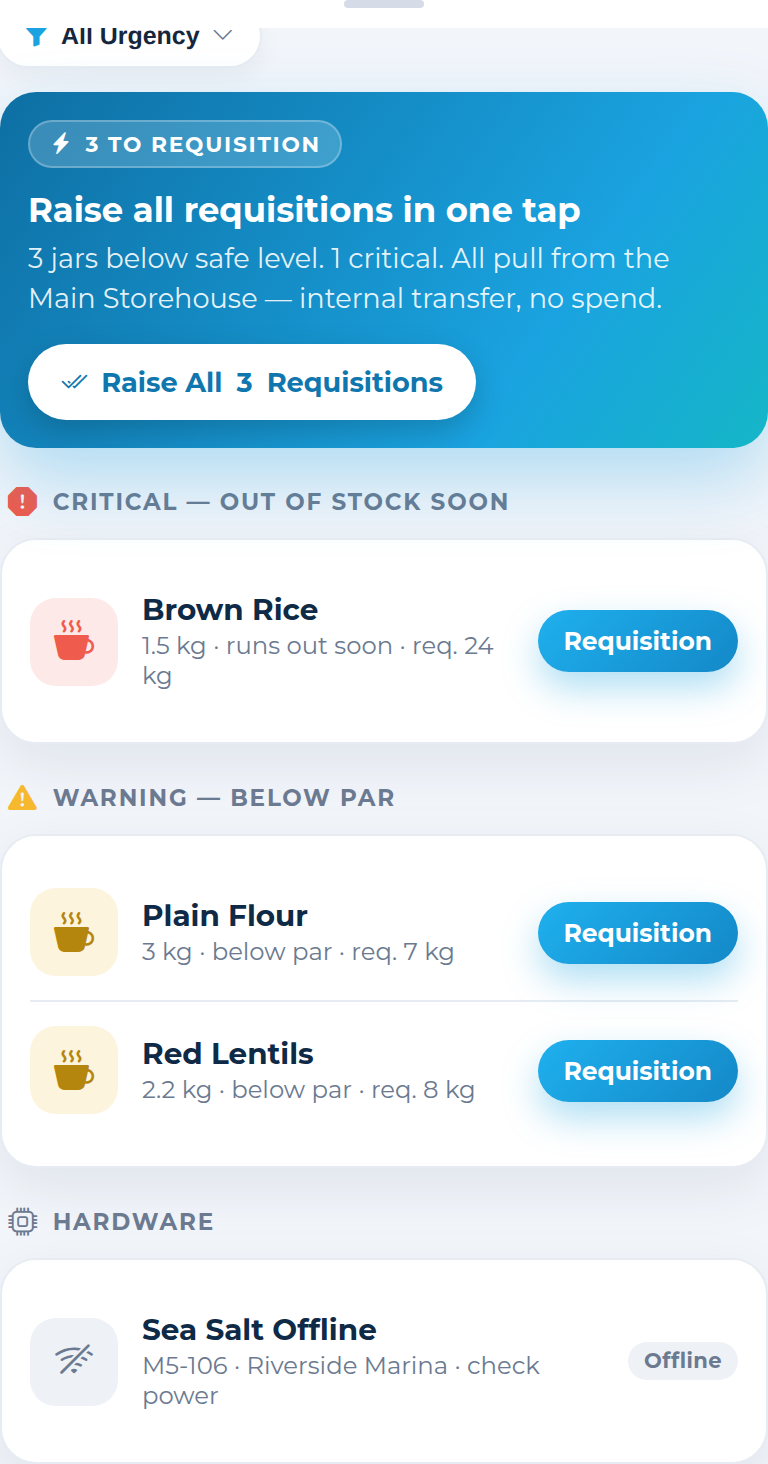
Critical, below-par and offline jars — raise every refill in one tap.
 View full screen
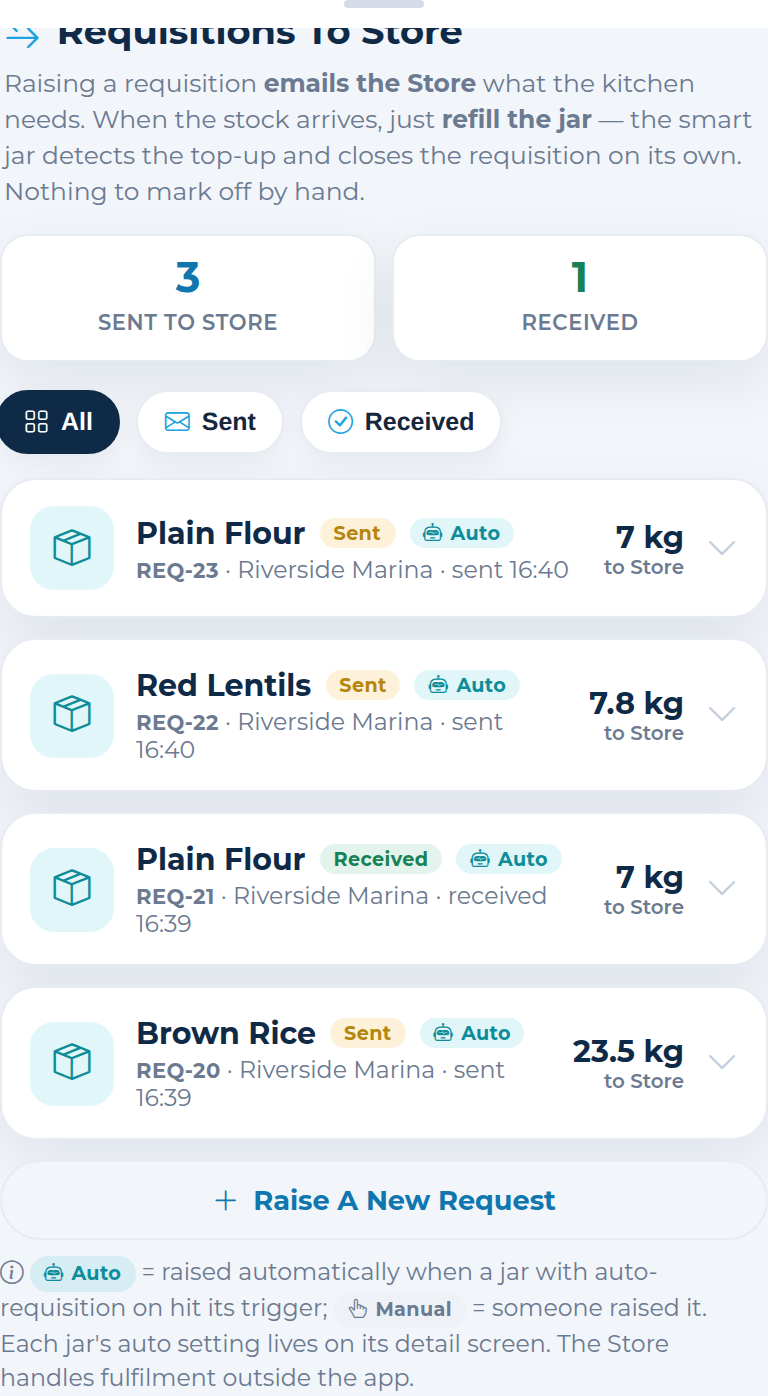
Requisitions to the store — raise, track, and they auto-close when the jar is refilled.
 View full screen
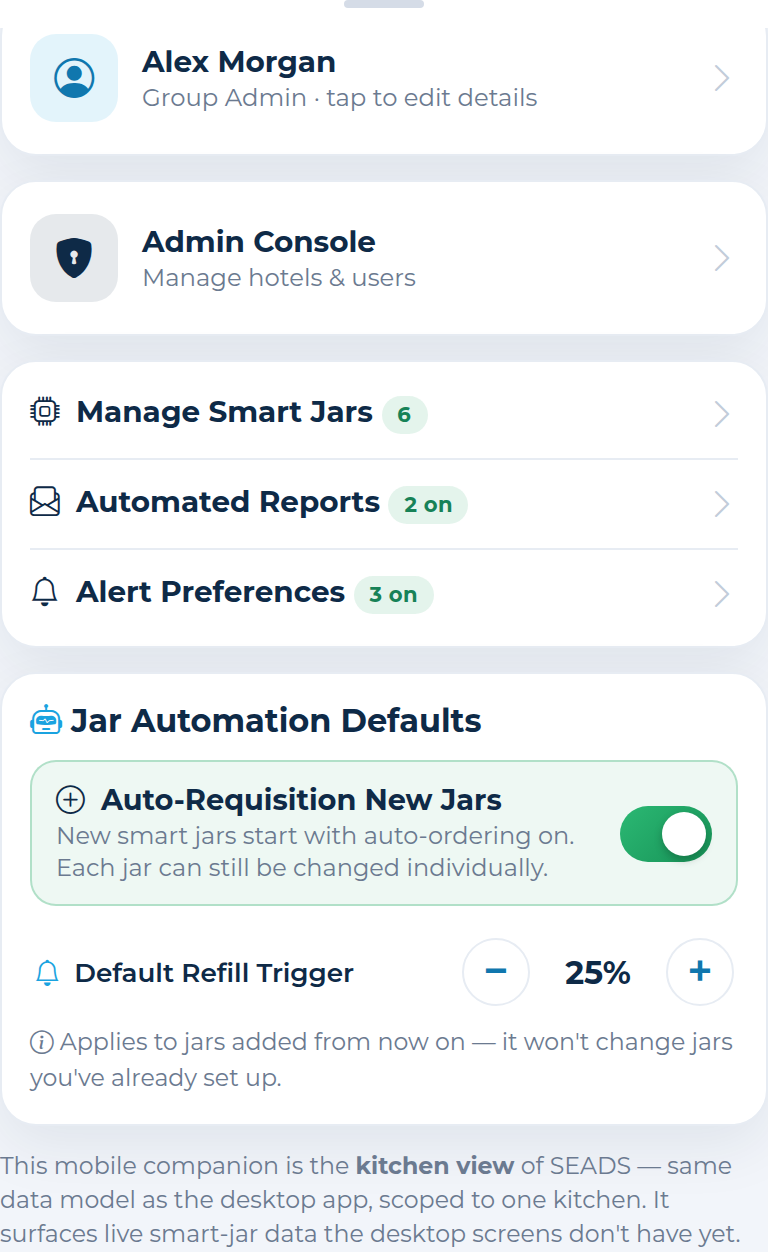
Your hub: manage jars, reports, alert preferences, profile and automation defaults.
Add jars from More → Manage Smart Jars. There are two kinds — real hardware (Live) and virtual demo jars (Mock) you can drive yourself.
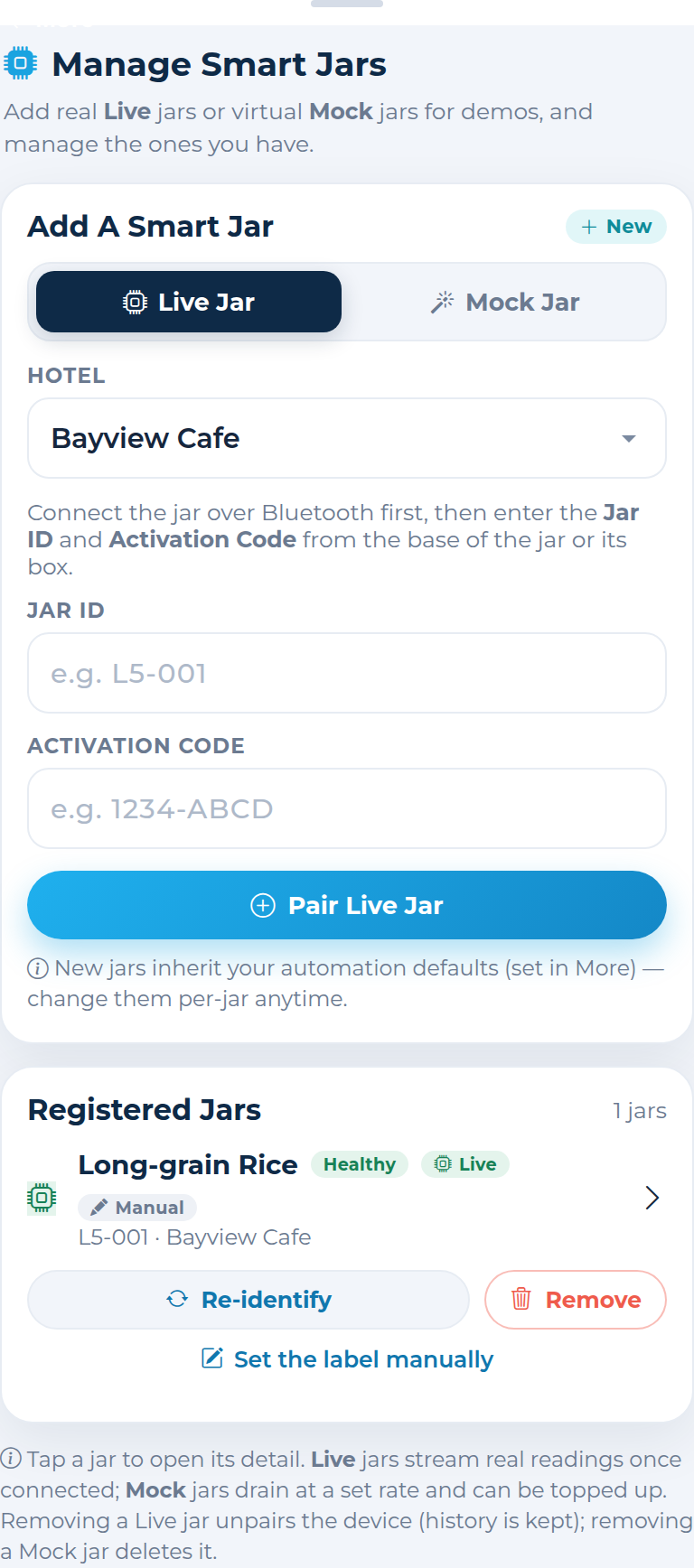
M5-001…M5-999) — a virtual jar for demos. Pick its contents, capacity and a consumption rate. No hardware needed.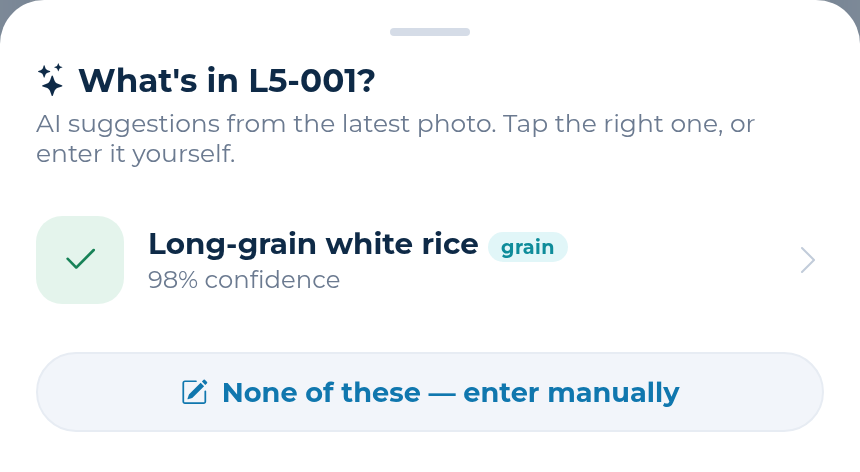
Manage Smart Jars → toggle Live or Mock, pick the hotel, and fill in the details.
On a mock jar, switch on Simulate Consumption and choose a rate (g per minute/hour/day/week) to watch it drain.
When a jar dips below its trigger %, a requisition is raised to the store — no one has to be logged in.
Tap Refill Now on a mock jar (or refill a live jar) — the level tops up and the open order closes.
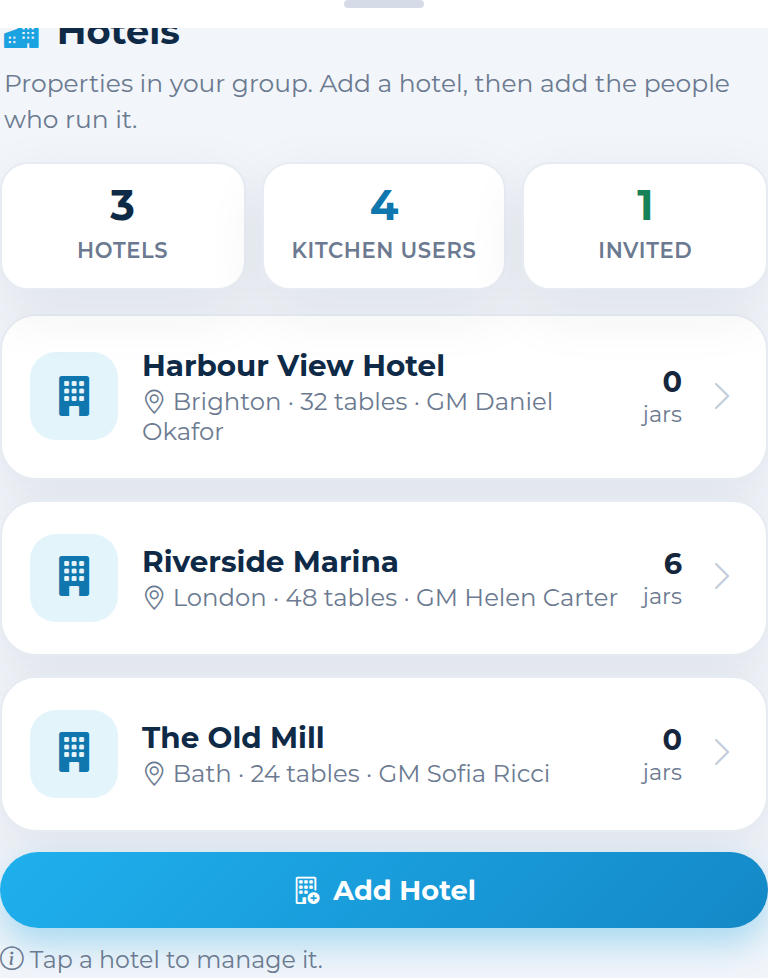
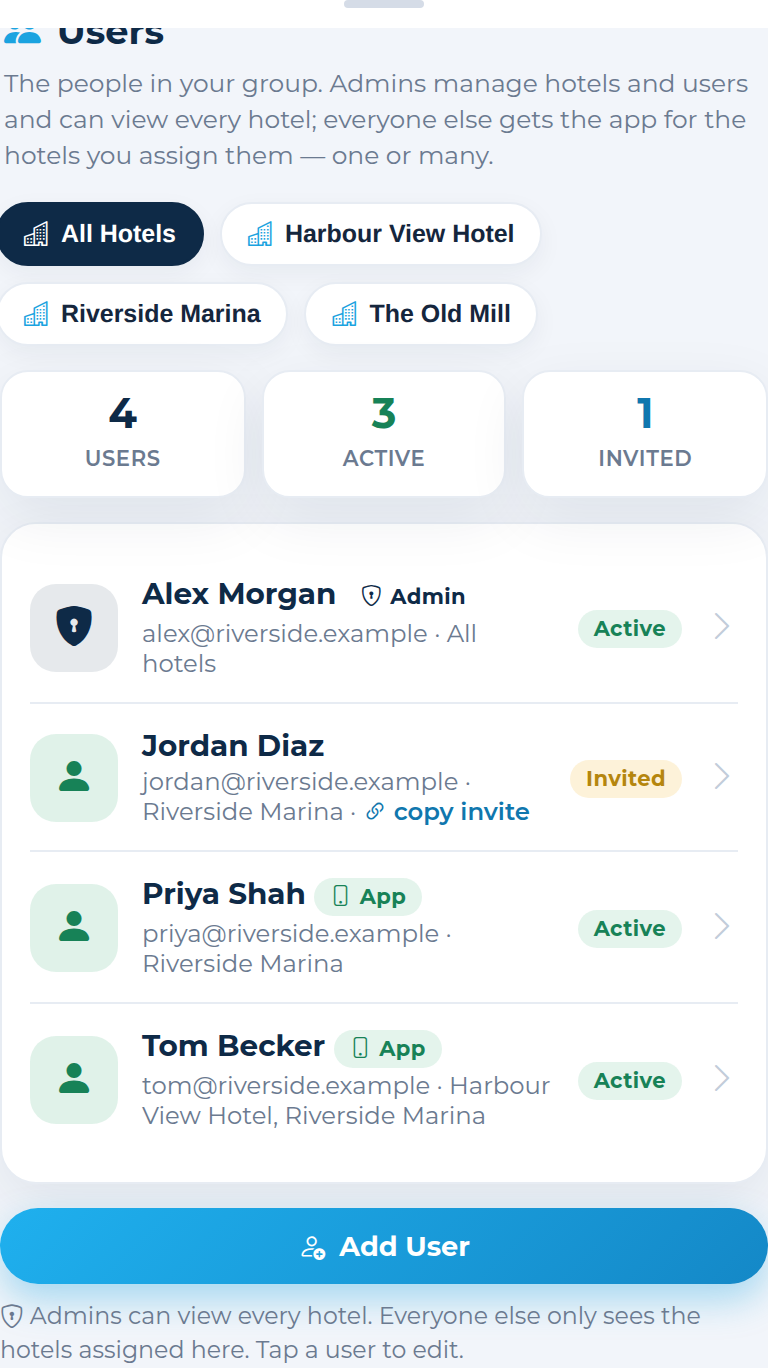
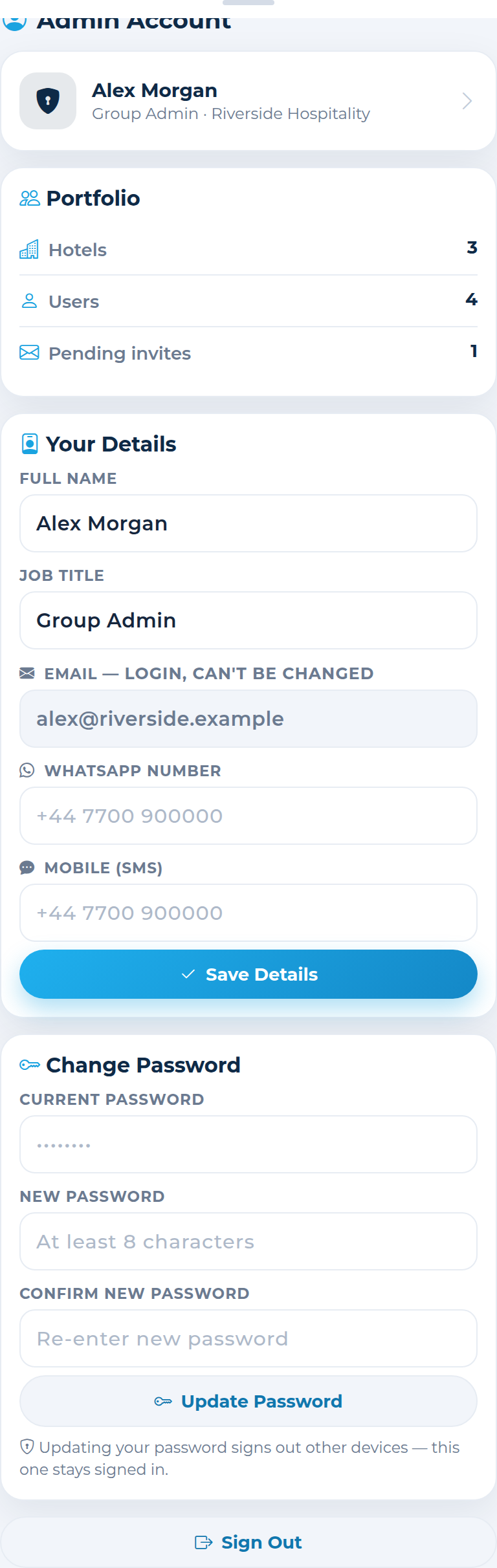
Admins manage the whole group: properties, the people who run them, and the head-office account.
 View full screen
Every property in your group with its smart-jar count. Tap one to edit its details.
 View full screen
Invite people, set them as admins or app users, and assign them to one or many hotels.
 View full screen
Your group's head-office details, your own profile, and password — all editable.
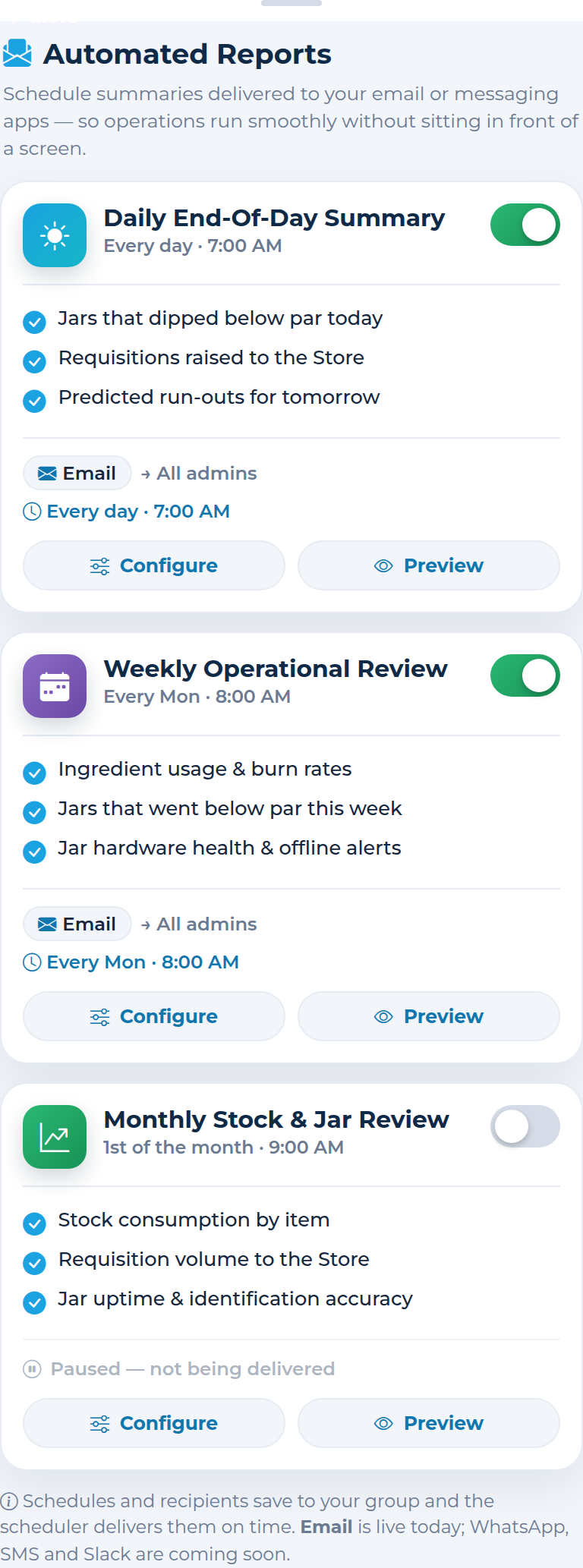
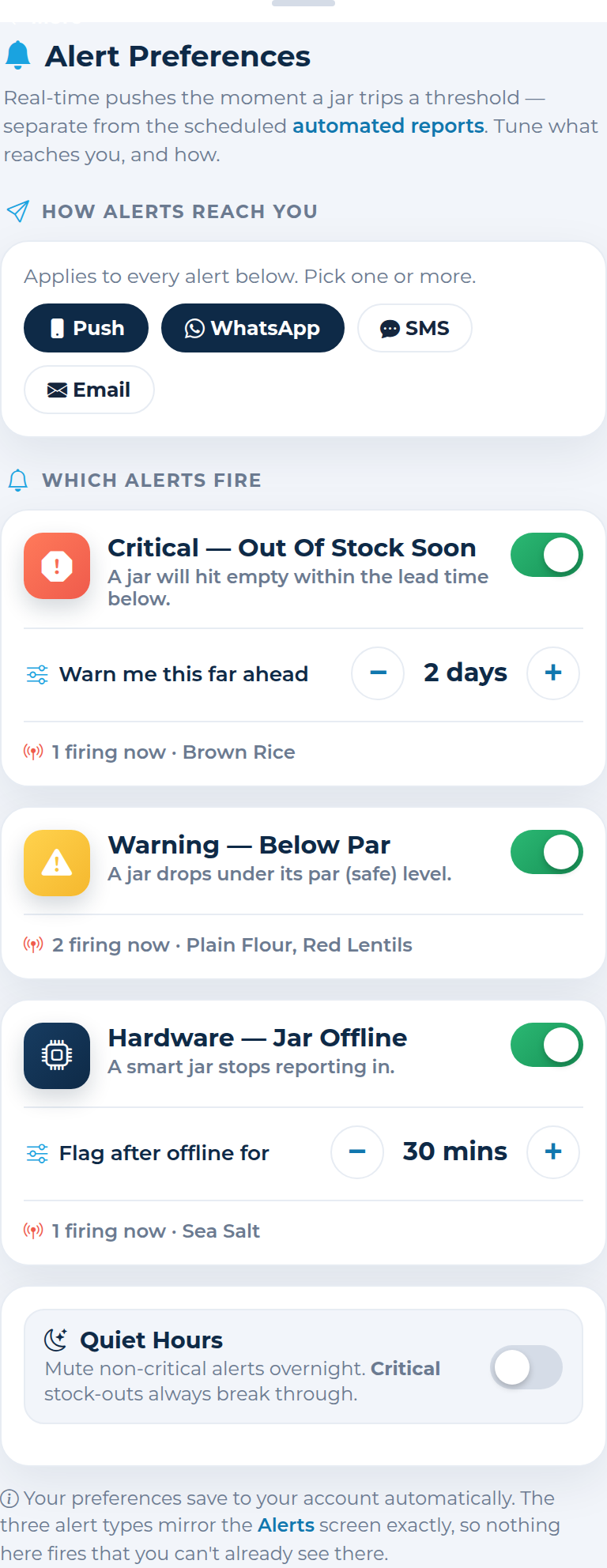
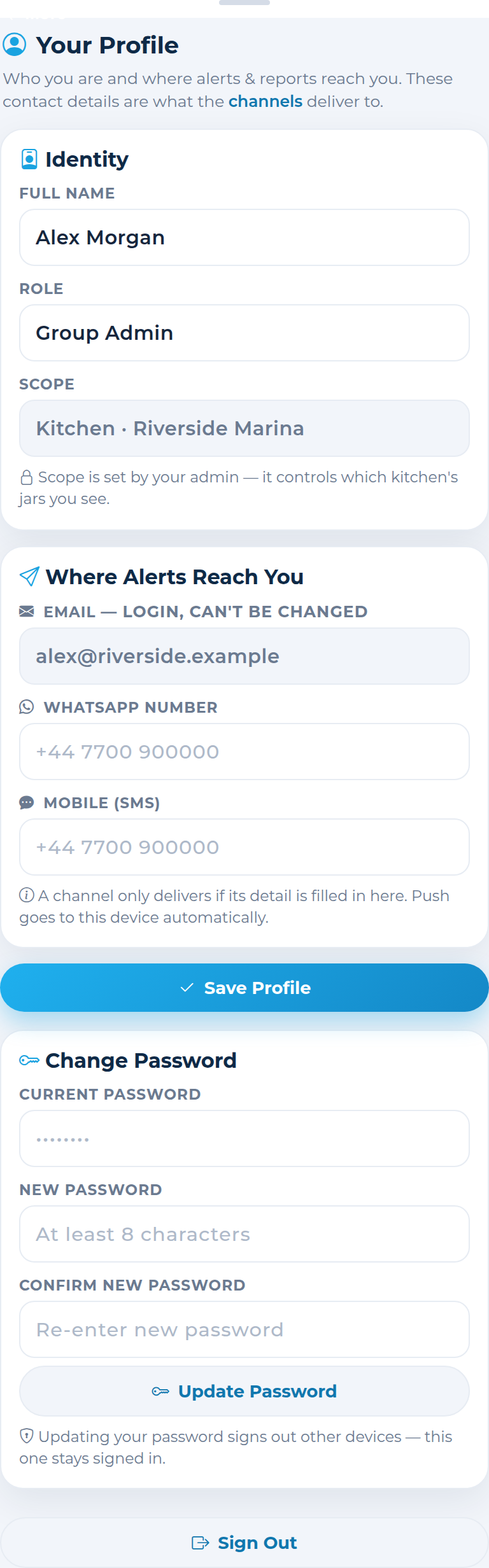
Reachable from the More tab — tune what's delivered, when, and to whom.
 View full screen
Daily, weekly and monthly stock digests, emailed on the schedule and to the people you choose.
 View full screen
Choose how alerts reach you, which ones fire and their thresholds, plus quiet hours.
 View full screen
Your name, where alerts reach you (WhatsApp / SMS), and your password.